Get the RateMyWings App
Install on your home screen for instant access to wing ratings and deals.
Android
One tap to install on your home screen
✓ App installed! Check your home screen.
To install manually:
- Tap the menu (⋮) in Chrome
- Select "Add to Home screen"
- Tap "Add"
iPhone / iPad
Add to Home Screen manually
1
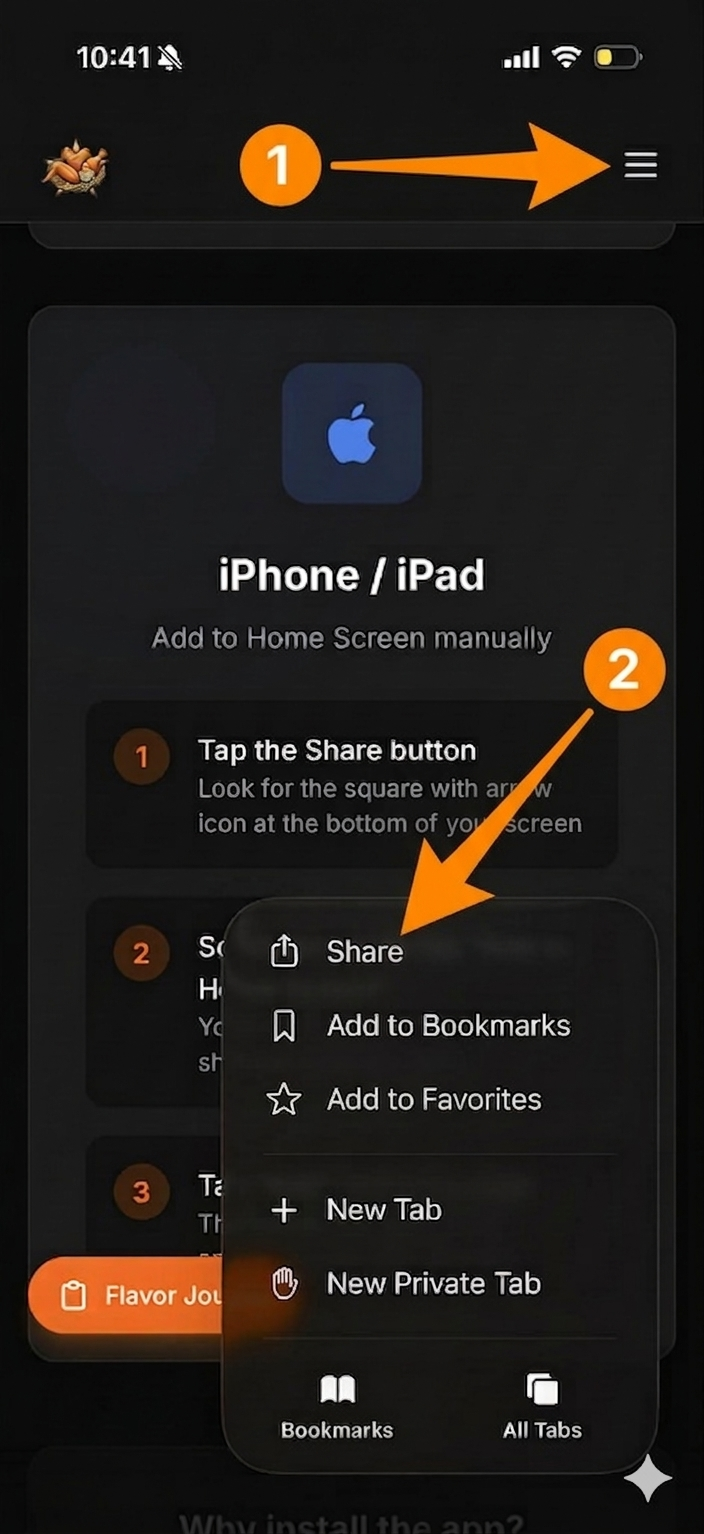
Tap the Share button
Look for the square with arrow icon at the bottom of your screen
2
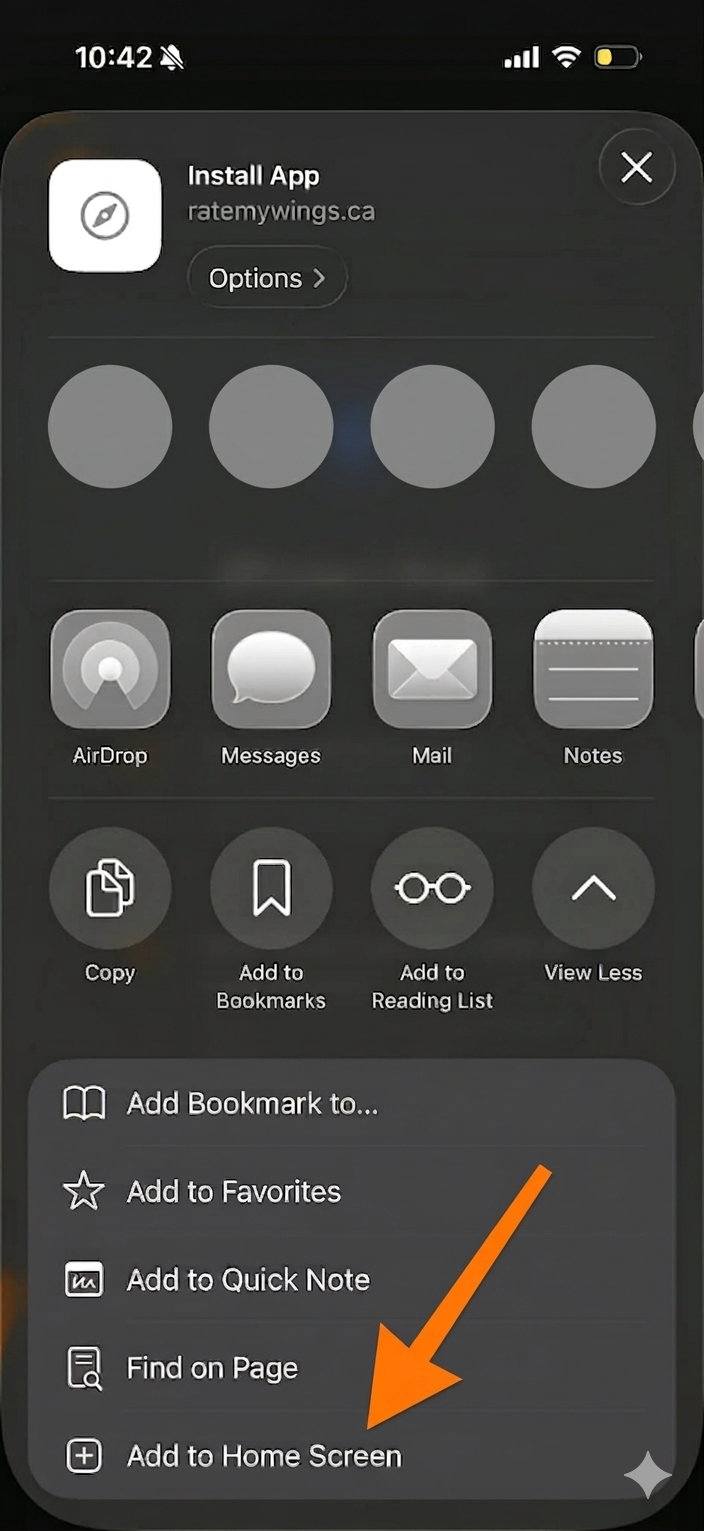
Scroll down and tap "Add to Home Screen"
You may need to scroll the share sheet to find this option
3
Tap "Add" in the top right
The RateMyWings icon will appear on your home screen
Why install the app?
⚡
Faster Access
Open directly from your home screen
📱
Full Screen
No browser buttons taking up space
🔔
Coming Soon
Push notifications for new deals